Modernising Legacy Software: How Businesses Can Upgrade Existing Systems Without Starting from Scratch
Many businesses rely on software systems that have supported their operations for years. These systems may manage customer records, inventory, financial transactions, employee information, production processes, or other critical business activities.
Although the technology behind these applications may be ageing, the systems themselves often contain valuable business logic, established workflows, historical data, and integrations that are essential to daily operations.
The challenge arises when these systems become increasingly difficult to maintain, expensive to extend, or incompatible with newer technologies. Employees may depend on manual workarounds, reporting may require exporting information into spreadsheets, and integrating modern applications may involve complicated development.
At this point, businesses face an important decision: should they replace the existing system entirely, or can they modernise it incrementally?
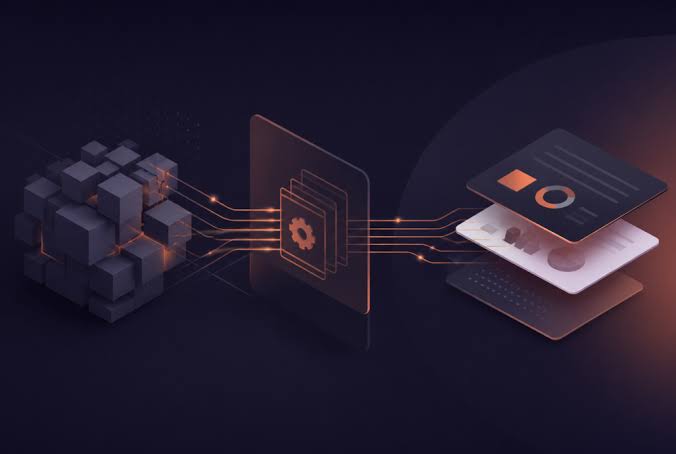
Modernising legacy software does not necessarily mean replacing everything. In many cases, businesses can preserve valuable existing functionality while gradually improving architecture, integrations, security, user experience, and operational efficiency.
A well-planned modernisation strategy helps organisations reduce technical limitations without unnecessarily disrupting established business processes. It also creates opportunities to introduce automation, cloud services, analytics, and AI capabilities where they provide measurable value.
For small and medium-sized enterprises, this approach can be particularly attractive. Replacing a critical business application may require substantial investment, lengthy implementation, data migration, employee training, and operational changes. Incremental modernisation offers an alternative that allows improvements to be introduced in manageable stages.
This article explains how businesses can assess legacy software, choose an appropriate modernisation strategy, integrate new technologies, manage risks, and work with an external software development partner to extend the useful life of existing systems.
What Is Legacy Software, and Why Does It Become a Business Problem?
Legacy software refers to an existing application or technology system that continues to support business operations but may be difficult to maintain, extend, secure, or integrate with modern technologies.
A system does not necessarily need to be very old to become a legacy challenge. Software can become difficult to modernise when its architecture no longer matches the organisation's requirements, its dependencies are unsupported, or its original development team is no longer available.
Common examples include:
- Desktop applications built around outdated frameworks.
- Custom business management systems developed many years ago.
- Older ERP or CRM implementations with limited integration capabilities.
- Applications that depend on unsupported operating systems or database versions.
- Monolithic applications in which multiple business functions are tightly connected.
- Systems that rely on manual file transfers rather than APIs.
- Applications with limited documentation and inadequate automated testing.
- Business-critical spreadsheets and databases that have evolved into informal operational systems.
These systems may continue to function adequately for years. The problem is that maintaining and extending them can become progressively more difficult.
Rising Maintenance Costs
Older applications may depend on outdated libraries, specialised infrastructure, or programming languages that fewer developers understand.
As a result, routine changes can require more investigation and testing than expected.
A small feature request may involve modifying interconnected components, creating regression risks, or locating a specialist who understands the existing implementation.
Over time, maintenance can consume a growing proportion of the technology budget, leaving fewer resources for new capabilities.
Limited Integration with Modern Applications
Businesses increasingly need their systems to exchange information with cloud platforms, e-commerce applications, payment providers, reporting tools, and customer engagement systems.
Legacy applications may not expose suitable APIs or may rely on proprietary interfaces and manual file exchanges.
For example, an inventory application might maintain accurate stock information but have no direct integration with the company's online store. Employees may need to export stock data and update product availability manually.
This creates delays, increases the likelihood of errors, and limits the business's ability to automate processes.
Security and Compliance Concerns
Older systems may use unsupported software components, outdated authentication mechanisms, or infrastructure that no longer receives security updates.
Some applications may also lack sufficient audit logging, access controls, or data protection mechanisms.
These limitations can increase operational risk, particularly when the application processes customer information, financial records, employee data, or commercially sensitive information.
Modernisation provides an opportunity to address these weaknesses, although the appropriate security improvements depend on the system's architecture and operating environment.
Poor User Experience
Many legacy applications were designed around the workflows and interface conventions of their original development period.
Employees may need to navigate multiple screens, enter the same information repeatedly, or rely on separate spreadsheets to complete everyday tasks.
These inefficiencies can reduce productivity and increase training requirements.
Improving the interface and simplifying workflows can deliver meaningful business value even when the underlying system does not need to be completely replaced.
Difficulty Supporting Business Growth
An application that works for a small team may struggle when transaction volumes increase, new branches are introduced, or additional departments need access.
Its database design, deployment process, integration architecture, or infrastructure may limit expansion.
The important question is not simply whether the application works today. It is whether the current system can continue supporting the organisation's expected operating model.
Why Replacing the Entire System Is Not Always the Best Option
When legacy software becomes difficult to maintain, complete replacement can appear to be the simplest solution.
However, rebuilding an established business application from scratch introduces its own risks.
The existing system may contain years of accumulated business rules that are not fully documented. Employees may depend on workflows that are difficult to reproduce accurately. Historical data may require complex transformation, and other applications may rely on undocumented interfaces.
A replacement project must address these dependencies before the old system can be retired.
The Risk of Losing Embedded Business Knowledge
Legacy systems frequently encode important business rules.
For example, an order management application may include rules for customer credit limits, special pricing, product substitutions, delivery restrictions, and approval requirements.
These rules may not be documented separately because they were implemented directly in the software over time.
A replacement that reproduces the visible features but overlooks these rules can introduce serious operational problems.
Modernisation should therefore begin with an understanding of how the existing application actually supports the business, including exceptions and informal workarounds.
Data Migration Can Be Complex
Business applications accumulate historical records, relationships, transaction histories, attachments, and reporting requirements.
Moving this information to a new platform can involve data cleaning, schema transformation, reconciliation, and validation.
Even when the new system has a better database design, migration must preserve the meaning and integrity of the information.
A poorly managed migration can affect reporting accuracy, customer service, financial reconciliation, or regulatory obligations.
Replacing Software Can Disrupt Operations
Many business applications support activities that cannot simply stop while a new solution is developed.
A distribution company still needs to process orders. A manufacturer still needs to manage production. A professional services business still needs access to customer and project records.
A complete replacement may require parallel operation, extensive employee training, and a carefully coordinated cutover.
Incremental modernisation can reduce some of these risks by allowing individual capabilities to be improved while the wider system remains operational.
The Existing System May Still Contain Valuable Components
An older application may have a stable business logic layer or a reliable database even if its user interface and integration mechanisms are outdated.
Replacing these components unnecessarily can increase cost without delivering proportional value.
A more practical approach is to identify what should be preserved, what should be improved, and what genuinely needs replacement.
Assess the Existing System Before Choosing a Modernisation Strategy
The first step in legacy software modernisation is a structured assessment of the current environment.
This assessment should consider technical condition, business value, operational risk, integration requirements, and future growth.
Without this step, organisations may invest in modernising components that should be retired or overlook dependencies that make the proposed changes impractical.
Evaluate Business Criticality
Start by identifying the business processes supported by each application.
Determine which functions are essential, which are inconvenient but manageable, and which no longer provide meaningful value.
For example, an outdated reporting module may be relatively easy to replace, while the transaction processing engine may support critical financial and operational controls.
This distinction helps prioritise work according to business impact.
Review the Technical Architecture
Examine the application's technology stack, database design, dependencies, deployment process, and integration interfaces.
Identify unsupported components, tightly coupled modules, performance bottlenecks, and areas where changes are difficult to test.
The objective is to understand the constraints of the current system rather than assume that its age alone determines its suitability.
Assess Code Quality and Maintainability
Review the codebase to understand its structure, duplication, dependencies, and testing coverage.
Where documentation is limited, code analysis and targeted testing can help establish how important functions operate.
Automated tests are particularly useful when modernising an application because they help verify that existing behaviour remains intact as changes are introduced.
If comprehensive tests are unavailable, the team can begin by documenting and testing critical business workflows.
Examine Data Quality and Dependencies
Identify where data is stored, how it moves between systems, and which applications depend on particular records or formats.
Look for duplicate data, inconsistent identifiers, missing fields, and manual processes that compensate for integration limitations.
The assessment should also identify data ownership, retention requirements, and access restrictions.
Establish a Baseline
Record the current system's important performance and operational characteristics.
Depending on the application, this may include response times, error rates, incident frequency, maintenance effort, deployment duration, processing volumes, and the time required to complete key workflows.
These measurements provide a basis for evaluating whether modernisation is delivering the intended improvements.
Five Strategies for Modernising Legacy Software
Legacy software modernisation is not a single technical method. Different applications require different approaches, and a business may use several strategies across its technology environment.
Five common options are rehosting, replatforming, refactoring, rearchitecting, and replacing selected components.
1. Rehosting: Move the Application Without Major Code Changes
Rehosting involves moving an application to a different infrastructure environment while making relatively few changes to its internal design.
For example, a business might move an existing application from an ageing on-premises server to a supported cloud-based virtual machine.
This may help address infrastructure constraints, improve backup options, or simplify hardware management.
However, rehosting does not automatically resolve poor code quality, outdated dependencies, or architectural limitations.
It is most suitable when the application remains functional and the primary concern is its hosting environment.
2. Replatforming: Upgrade the Supporting Technology
Replatforming introduces selected changes to the application's underlying platform without completely redesigning the software.
This might involve moving to a supported database version, adopting a managed database service, upgrading the runtime environment, or improving the deployment infrastructure.
The application may continue using much of its existing code while benefiting from a more maintainable technical foundation.
Replatforming requires compatibility testing because changes to database behaviour, configuration, or infrastructure can affect application performance and functionality.
3. Refactoring: Improve the Existing Codebase
Refactoring restructures code to improve readability, maintainability, testability, or efficiency without intentionally changing its externally observable behaviour.
For example, a business application may contain duplicated pricing calculations across multiple modules.
Refactoring these calculations into a shared service can reduce duplication and make future changes easier to manage.
Refactoring is particularly useful when the application still meets business requirements but has become difficult to extend.
The work should be guided by automated tests and a clear understanding of existing behaviour.
4. Rearchitecting: Change How the Application Is Structured
Rearchitecting involves more substantial changes to the application's internal structure or deployment model.
A tightly coupled monolithic application might be reorganised into modular components with clearer boundaries and interfaces.
For example, a business management system may combine customer management, invoicing, inventory, and reporting within one application.
A modernisation project might separate selected functions into independent services so they can be developed and deployed with fewer dependencies.
However, moving to microservices is not automatically an improvement. Distributed architectures introduce additional complexity in networking, monitoring, data consistency, deployment, and security.
A modular monolith may be a more appropriate design when the system's scale and operational requirements do not justify distributed services.
The objective should be to improve the application's ability to evolve, not to adopt a fashionable architecture without a clear business reason.
5. Selective Replacement: Replace Only What Needs to Change
Sometimes, the most effective strategy is to retain the core application while replacing a specific component.
For example, a company may keep its established inventory database and transaction processing logic but replace an outdated user interface with a modern web application.
Another organisation might preserve its existing accounting system while introducing a separate analytics platform that consumes authorised financial data through controlled interfaces.
Selective replacement can deliver visible improvements without requiring a complete rebuild.
It is particularly useful when the existing system contains valuable business logic but has identifiable weaknesses in user experience, integration, or reporting.
Use an Incremental Modernisation Approach
For many businesses, incremental modernisation offers a practical way to manage technical risk and spread investment over time.
Instead of redesigning the entire application in one project, the organisation identifies a sequence of changes that deliver measurable improvements while preserving essential functionality.
Start with a High-Value, Lower-Risk Component
The first modernisation target should have a clear business benefit and a manageable level of technical complexity.
For example, improving a reporting interface or automating a manual data export may provide useful results without requiring changes to the core transaction engine.
Early improvements can also help the team learn more about the existing system before tackling more complicated components.
However, the easiest component is not always the best first choice. Prioritisation should balance business value, implementation risk, dependencies, and the cost of delaying other improvements.
Establish Clear Boundaries Between Old and New Components
When a new application interacts with an existing system, the interface between them should be clearly defined.
APIs, integration services, or other controlled interfaces can help separate responsibilities and reduce unnecessary dependencies.
For example, a new customer portal could retrieve approved customer information through a backend service rather than connecting directly to the legacy database.
The service would enforce access controls and expose only the functions and information required by the portal.
This approach can make it easier to modernise internal components later without rebuilding the customer-facing application.
Preserve Existing Functionality During the Transition
The new implementation should be tested against the business behaviour that must remain unchanged.
For important workflows, create regression tests covering expected inputs, outputs, exceptions, and business rules.
Where the existing system is poorly documented, compare its behaviour with documented business requirements and obtain confirmation from the relevant operational teams.
The goal is not necessarily to reproduce every historical behaviour. Some behaviours may be obsolete or incorrect. Those changes should be identified and approved explicitly rather than introduced accidentally during technical work.
Introduce Changes in Controlled Releases
Release modernised functionality in stages where practical.
This might involve deploying the new interface to a limited user group, running new and old reporting processes in parallel, or introducing a new integration for one department before expanding it.
Controlled releases provide opportunities to identify problems early and reduce the impact of unexpected behaviour.
For critical systems, define rollback or recovery procedures before changing production components.
Modernise Legacy Integrations with APIs and Data Services
Integration is often one of the most valuable areas to address during modernisation.
Legacy applications may contain useful information and business logic but lack convenient mechanisms for sharing them with other systems.
Modern integration interfaces can make existing capabilities available to newer applications without requiring immediate replacement of the underlying system.
Introduce an API Layer
An API layer can expose selected functions from an existing application through controlled interfaces.
For example, an older inventory system might expose functions to retrieve stock levels, check product availability, or record approved stock adjustments.
A new web application, reporting dashboard, or e-commerce integration could use those interfaces instead of accessing the database directly.
The API layer should enforce authentication, authorisation, input validation, and relevant business rules.
It can also provide a stable contract between the legacy application and newer components.
However, an API does not automatically make a legacy system scalable or secure. The implementation must account for the existing system's limitations and protect it from excessive or invalid requests.
Reduce Manual Data Transfers
Many organisations still rely on spreadsheets, emailed files, or manually generated reports to move information between systems.
These processes may be necessary when direct integration is unavailable, but they can introduce delays and inconsistencies.
Modernisation can replace suitable manual transfers with scheduled data pipelines, event-based integration, or API-driven workflows.
The appropriate mechanism depends on the business requirement.
A daily reporting process may work well with scheduled data extraction, while an order processing workflow may require near-real-time communication.
Establish Clear Data Ownership
When multiple applications use the same business information, the organisation should define which system is authoritative for each data category.
For example, the ERP system might own product costs and stock quantities, while the CRM system owns sales opportunities and customer interactions.
New applications should not create conflicting sources of truth without an explicit design for synchronisation and reconciliation.
Clear ownership helps prevent inconsistent records and simplifies troubleshooting when information differs between systems.
Introduce Cloud Capabilities Where They Deliver Value
Cloud technologies can support legacy modernisation by providing managed infrastructure, flexible capacity, improved deployment options, and access to modern application services.
However, moving to the cloud is not a universal solution. Some applications may be better suited to on-premises infrastructure, a hybrid environment, or a staged migration.
The decision should reflect technical constraints, security requirements, operating costs, and business priorities.
Modernise Infrastructure and Deployment
An organisation may begin by moving an application to supported hosting infrastructure and improving its backup, monitoring, and deployment procedures.
Later stages could introduce automated deployment pipelines, infrastructure as code, containerisation, or managed database services where appropriate.
These changes can improve consistency and reduce the effort required to maintain the environment.
Improve Reliability and Recovery
Modernisation provides an opportunity to review backup policies, disaster recovery arrangements, monitoring, and service restoration procedures.
Businesses should define recovery time objectives (RTOs) and recovery point objectives (RPOs) based on the operational impact of downtime and data loss.
These requirements help determine the appropriate backup frequency, replication strategy, and recovery design.
A system should not be considered modernised simply because it runs on cloud infrastructure. Its resilience and recovery capabilities must also be evaluated.
Control Cloud Costs
Cloud infrastructure can reduce the need to maintain certain physical resources, but poorly planned migration can introduce unnecessary expenses.
Costs may arise from oversized compute resources, storage growth, data transfer, managed services, licensing, and ongoing support.
Establish a baseline and review resource utilisation after migration.
The objective should be an appropriate balance between performance, reliability, and total operating cost rather than maximum infrastructure flexibility at any price.
Modernise the User Experience Without Rebuilding the Entire Backend
The user interface is often one of the most visible limitations of legacy software.
Employees may struggle with outdated screens, complicated navigation, or processes that require unnecessary manual entry.
A modern interface can improve productivity even when the existing business logic remains unchanged.
Build a Modern Web or Mobile Interface
A legacy desktop application may be suitable for continued use internally but inconvenient for remote employees, field staff, or customers.
A new web interface can expose selected functionality through a controlled backend.
For example, a distribution business might introduce a mobile-friendly interface that allows authorised staff to check product availability and review delivery status while retaining the existing system that processes transactions.
This approach can improve accessibility without immediately replacing the core application.
Simplify Workflows
Modernisation should focus on the tasks users need to complete, not just the appearance of the screens.
Useful improvements may include reducing duplicate data entry, providing contextual validation, automating repetitive calculations, and presenting relevant information in a single view.
Observe how employees use the current system and identify the steps that create delays or errors.
These findings can inform the new interface and help prioritise development work.
Introduce Better Reporting and Search
Legacy applications may store valuable information but provide limited reporting or search functionality.
A modern reporting layer can present information through dashboards, filters, and scheduled reports without requiring a complete redesign of the transactional system.
Where appropriate, the reporting layer can combine data from several authorised sources.
However, reporting systems should account for data freshness, definitions, and reconciliation so that users understand how figures are calculated.
Add AI and Automation to Existing Business Systems
Modernising legacy software can also create opportunities to introduce AI and automation.
Businesses do not necessarily need to replace an established application to benefit from these technologies. In many cases, AI capabilities can be added through a separate service that interacts with existing systems through controlled interfaces.
The key is to identify a useful business function and integrate it without compromising the reliability of the core application.
AI-Powered Search and Knowledge Retrieval
An organisation may have years of operational procedures, manuals, product information, and internal documentation stored across different repositories.
A secure AI-powered knowledge assistant can help employees find relevant information more efficiently.
For example, a maintenance team might ask questions about approved equipment procedures, or a customer support team might retrieve relevant guidance while handling an enquiry.
The application should use authorised information sources and enforce document-level access controls before content is passed to the model.
It should also provide appropriate references to supporting documents so that users can verify important answers.
Intelligent Document Processing
Legacy systems may require employees to enter information from invoices, purchase orders, application forms, or other documents manually.
AI-powered document processing can extract selected fields and prepare structured data for validation.
The resulting information can then be passed to an existing business system through an approved integration interface.
For example, an invoice-processing workflow might extract the supplier name, invoice number, date, and line items before checking the information against purchase records.
The system should validate extracted values and route exceptions for human review rather than assuming every AI-generated result is correct.
Predictive Analytics and Business Intelligence
Existing business applications often contain historical data that can support forecasting, anomaly detection, and operational analysis.
A company might use historical sales records to forecast demand or analyse service records to identify recurring operational problems.
These capabilities can be introduced through a separate analytics service that reads approved data from the legacy system.
The existing application can continue managing transactions while the analytics component generates predictions or recommendations.
This separation allows the organisation to explore advanced analytics without making the core operational system dependent on an AI model.
Workflow Automation
Automation can connect existing applications with email, document management, reporting, and approval workflows.
For example, a business might automate the process of preparing a daily exception report from an older inventory application and sending it to the appropriate manager.
Where the legacy system lacks modern APIs, a file-based integration or carefully controlled user-interface automation may sometimes be necessary.
However, user-interface automation is often more fragile because it depends on screen layouts and interaction patterns. Where practical, stable APIs or supported integration interfaces should be preferred.
AI and automation should complement existing business controls rather than bypass them.
Manage Data Migration and Compatibility Risks
Even when modernisation is incremental, some components may require data migration or transformation.
This work should be planned carefully because business data is often more complicated than its visible structure suggests.
Profile and Clean the Existing Data
Before migrating or synchronising information, examine data quality.
Common issues include duplicate customer records, inconsistent date formats, missing identifiers, invalid relationships, outdated reference values, and incomplete historical records.
The organisation should distinguish between data that can be corrected automatically and data that requires business review.
Cleaning the data during modernisation can improve reporting and integration, but the scope should be controlled so that data-quality work does not become an unbounded project.
Validate Data Transformations
When data moves between systems, its structure or meaning may change.
For example, an older system may store customer status using numeric codes, while the new application uses descriptive values.
Define transformation rules and test them against representative records.
For critical data, reconcile record counts, totals, key relationships, and business-specific validation rules.
Keep records of important migration activities so that discrepancies can be investigated.
Plan for Coexistence Between Old and New Systems
During incremental modernisation, old and new components may operate simultaneously.
This requires clear rules for data ownership, updates, synchronisation, and conflict resolution.
If two systems can update the same record, the architecture must define which changes take precedence and how inconsistent states are detected.
Without these rules, the organisation may introduce data conflicts that are difficult to identify.
A controlled coexistence plan should also define the conditions under which a legacy component can eventually be retired.
Common Legacy Modernisation Mistakes to Avoid
A successful modernisation project requires careful prioritisation and realistic expectations.
Several common mistakes can increase cost and undermine the benefits of the work.
Rebuilding Everything Before Delivering Value
A complete rewrite can be justified when the existing application is fundamentally unsuitable, unsupported, or too risky to retain.
However, rebuilding every component by default can create unnecessary scope and delay improvements.
Evaluate whether targeted changes can address the most important limitations first.
Copying the Existing Design Without Questioning It
Modernisation should preserve valuable business rules, not automatically reproduce every historical design decision.
Some existing workflows may be inefficient because they reflect old operational constraints.
Review which behaviours are essential, which can be simplified, and which should be retired.
Choosing Technologies Before Defining Requirements
Selecting a cloud platform, framework, database, or architectural pattern before understanding the business problem can lead to unnecessary complexity.
Technology decisions should follow from requirements relating to security, integration, workload, maintainability, available skills, and total cost of ownership.
Ignoring Automated Testing
Changes to legacy systems can introduce unexpected side effects because components may be tightly connected.
Without adequate testing, developers may discover problems only after deployment.
Establish regression tests for critical workflows and introduce additional automated coverage as the application evolves.
Underestimating Employee Adoption
A technically improved application may fail to deliver value if employees find it difficult to use or do not understand the new workflows.
Involve representative users during design and testing.
Provide appropriate training, explain the reasons for changes, and collect feedback after deployment.
Treating Modernisation as a One-Time Project
An application can become difficult to maintain again if the organisation does not continue updating dependencies, testing changes, reviewing security, and managing technical debt.
Modernisation should establish a more sustainable engineering process, not simply deliver a new version of the same unmanaged system.
A Practical Roadmap for Legacy Software Modernisation
Businesses can organise their modernisation initiatives into a sequence of manageable phases.
Phase 1: Discovery and Assessment
Objective: Understand the current application and establish the business case for modernisation.
Activities include reviewing the architecture, dependencies, data flows, security posture, user experience, maintenance costs, and business-critical workflows.
Key deliverables:
- Current-state system assessment.
- Application and integration inventory.
- Business requirements and pain points.
- Technical risk assessment.
- Initial modernisation priorities.
Phase 2: Strategy and Architecture
Objective: Decide what to preserve, improve, replace, or retire.
Compare potential approaches such as rehosting, replatforming, refactoring, rearchitecting, and selective replacement.
Define integration interfaces, security requirements, data ownership, and the target operating model.
Key deliverables:
- Modernisation strategy.
- Target architecture.
- Integration and data migration plan.
- Initial implementation roadmap.
- Cost and risk estimates.
Phase 3: Pilot Implementation
Objective: Validate the chosen approach through a manageable change.
Select a component with meaningful business value and an acceptable level of risk.
Implement the improvement, test it against the existing system, and measure the results.
Key deliverables:
- Working modernised component.
- Regression and integration test results.
- User feedback.
- Performance and operational measurements.
- Lessons for subsequent phases.
Phase 4: Incremental Modernisation
Objective: Extend the improvements across the wider system.
Develop additional interfaces, modernise selected components, improve data flows, strengthen security, and simplify workflows according to the agreed priorities.
Key deliverables:
- Additional modernised capabilities.
- Improved integration coverage.
- Updated documentation and tests.
- Controlled deployment and recovery procedures.
- Progress against business objectives.
Phase 5: Stabilisation and Continuous Improvement
Objective: Ensure the modernised system remains maintainable and supports future business needs.
Monitor performance, resolve issues, maintain dependencies, evaluate user feedback, and prioritise further improvements.
Key deliverables:
- Operational monitoring and support arrangements.
- Maintenance schedule.
- Updated technical documentation.
- Performance and cost reviews.
- Long-term technology roadmap.
Not every system requires every phase to be a separate project. The framework should be adapted to the application's complexity, business criticality, and available resources.
How to Measure the Success of Legacy Modernisation
Modernisation should be evaluated through business and technical outcomes rather than the number of technologies introduced.
The most useful indicators depend on the system and the problems the project is intended to solve.
Maintenance and Development Efficiency
Measure the time required to implement routine changes, resolve defects, and release updates.
A more maintainable application should make appropriate changes easier to implement and test.
Integration and Workflow Efficiency
Track the time required to complete important business processes and the amount of manual work involved.
For example, an integration project may reduce the time required to synchronise inventory records or prepare a management report.
Reliability and Performance
Measure application availability, response times, transaction failures, incident frequency, and recovery performance where relevant.
Compare these results with the baseline established before modernisation.
Security and Maintainability
Track the status of unsupported dependencies, unresolved security issues, automated test coverage for critical workflows, and the time required to deploy changes safely.
These indicators can help establish whether the system is becoming easier and safer to maintain.
Total Cost of Ownership
Evaluate development costs alongside hosting, licensing, maintenance, support, and ongoing operational expenses.
A modernised application may require an initial investment while reducing the cost or risk of future changes.
The business case should consider the expected benefits over a realistic period rather than focusing only on the immediate project budget.
How Bluechip Technologies Asia Can Support Legacy Software Modernisation
Bluechip Technologies Asia is a Sri Lankan software development and technology outsourcing company providing custom software development, AI and machine learning, cloud technologies, data engineering, and dedicated development teams.
For businesses that depend on established applications, modernisation can provide a way to improve technology capabilities without automatically replacing the systems that already support their operations.
The appropriate approach depends on the condition of the existing software, its business importance, integration requirements, data architecture, and future development plans.
Modernisation work may include assessing an existing application, developing modern web interfaces, integrating legacy systems with APIs, improving data pipelines, migrating selected workloads to cloud infrastructure, introducing reporting capabilities, or adding AI-powered functionality around existing business processes.
For example, a company might retain its current inventory management system while developing a new reporting dashboard and connecting it to an e-commerce platform. Another business might preserve its established transaction processing logic while introducing an AI assistant that retrieves information from authorised documents and databases.
These approaches allow organisations to introduce new capabilities in stages while managing the risks associated with changing critical business systems.
Bluechip Technologies Asia can work with businesses seeking an external development partner to extend existing software capabilities, build new application components, and support ongoing software development. The project scope should be established through an assessment of the existing environment and the business outcomes the organisation wants to achieve.
The objective is to help businesses make practical technology improvements while maintaining appropriate control over their systems, data, source code, and intellectual property.
Learn more about Bluechip Technologies Asia and its software development and technology outsourcing services.
Final Thoughts
Legacy software can become a barrier to business growth when it is difficult to maintain, integrate, secure, or extend. However, an ageing application is not automatically a system that must be replaced completely.
In many cases, the existing software contains valuable business logic and operational knowledge that should be preserved.
A structured modernisation strategy helps businesses identify which components can remain, which require improvement, and which should be replaced. It also creates opportunities to introduce modern interfaces, APIs, cloud capabilities, better reporting, workflow automation, and AI-powered services.
The most effective approach is to begin with the business problem, assess the existing environment, and select a sequence of changes that balances value, cost, and risk.
For some applications, that may mean upgrading infrastructure. For others, it may involve refactoring the codebase, introducing an integration layer, replacing a user interface, or gradually redesigning selected components.
Successful legacy software modernisation is not about making every part of an application new. It is about making the existing technology more secure, maintainable, adaptable, and valuable to the business.
By modernising strategically rather than rebuilding by default, organisations can protect existing technology investments while creating a stronger foundation for future growth.
#LegacySoftware #SoftwareModernisation #LegacySystemModernisation #CustomSoftwareDevelopment #DigitalTransformation #SoftwareEngineering #CloudModernisation #ApplicationModernisation #SystemIntegration #APIIntegration #BusinessAutomation #AIIntegration #TechnologyOutsourcing #SoftwareDevelopmentPartner #BluechipTechnologiesAsia
Log in with a verified account to post comments.
Log in · Register
Comments